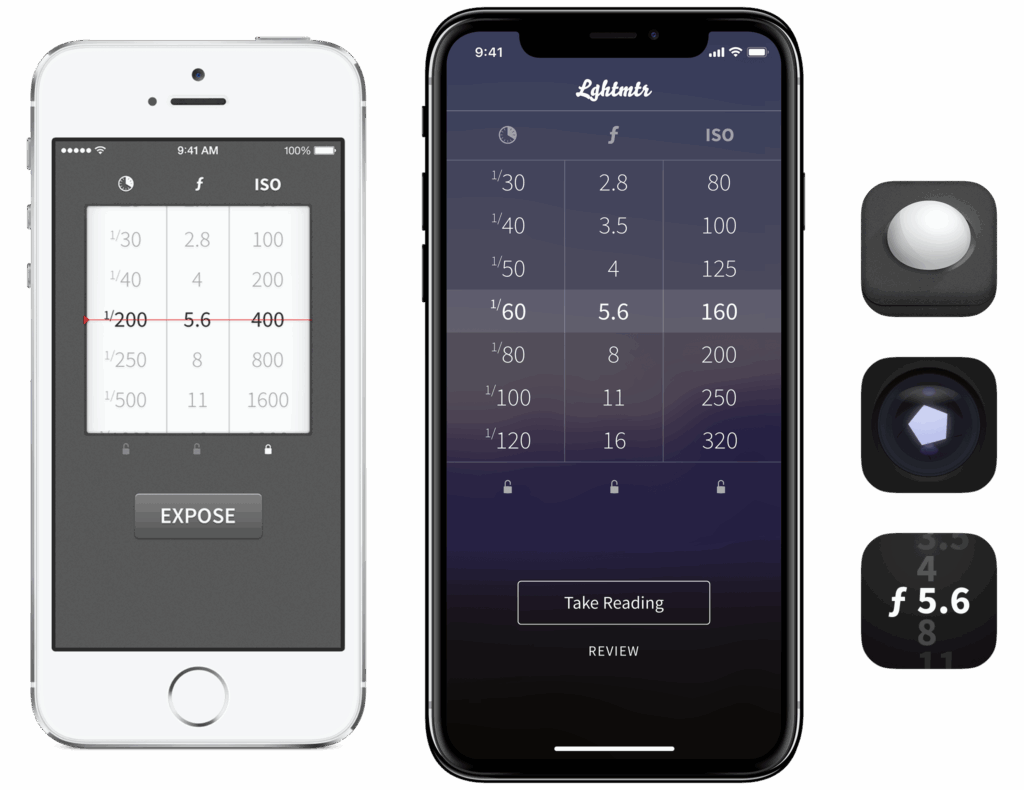
First released in 2016, Lghtmtr is a simple light meter application for the iPhone to take light readings of scenes, primarily for film photography. Lghtmtr is also a great tool for beginners to film photography to learn how exposure, aperture, ISO are all related as the app helps the user visualize these connections.
The reason I decided to create this application was one day I was out taking photos with my Hasselblad with my light meter around my neck and I had a realization: my phone is always in my pocket, has a ton of raw processing power, and has a camera so there must be a way to use it to measure light.
I searched out light meter apps in the Apple App Store and was not impressed with how they looked or worked. So, I set out to learn how to make my own. Recovering some space in my camera bag by replacing my physical light meter’s functionality would be a nice plus.
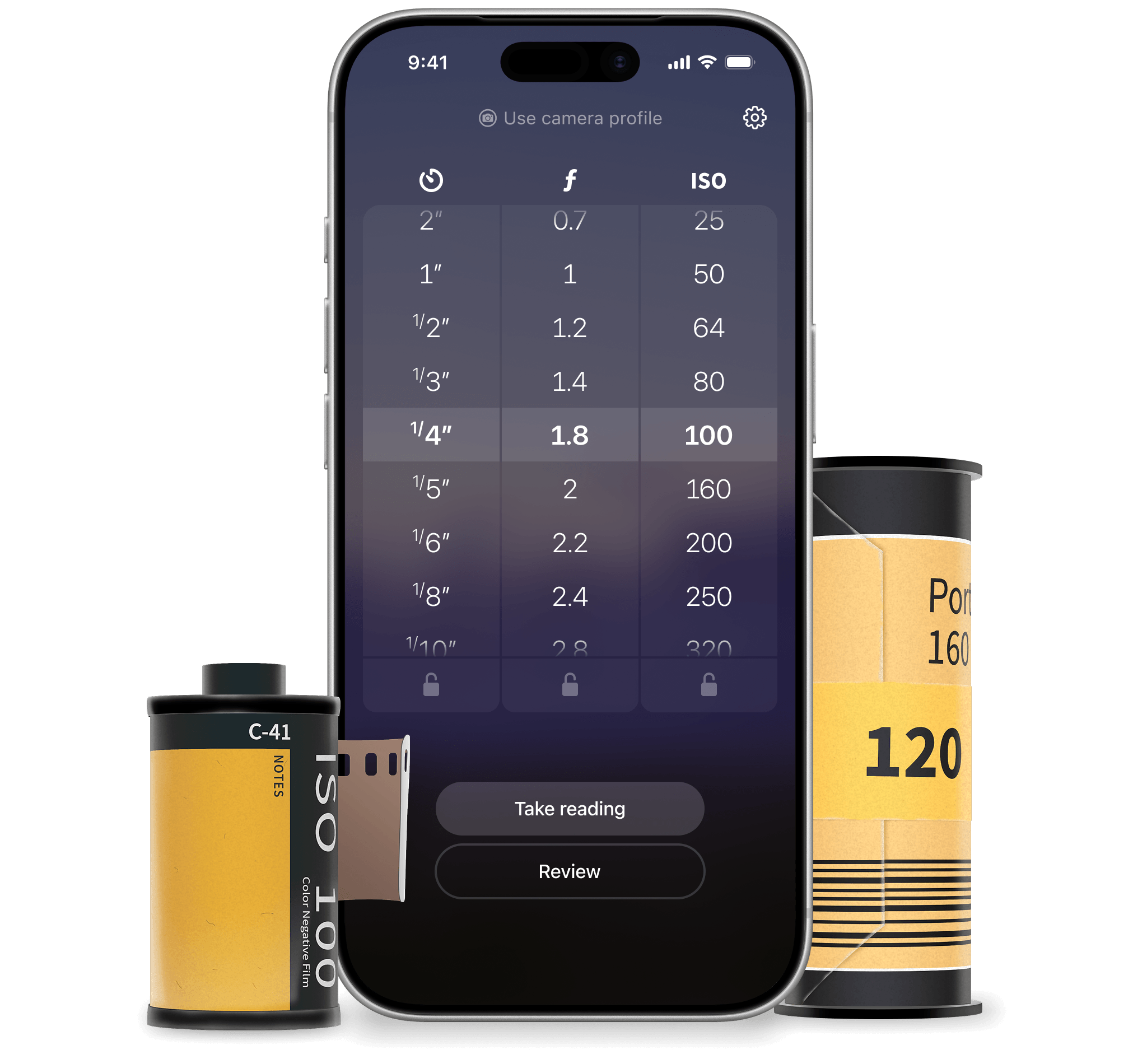
The application is quite simple, you take a reading of a scene with the camera, either using the iPhone to suggest a good exposure or by clicking on a region of the camera’s view to better expose that area. After an initial reading, you can then lock in and adjust the values for shutter speed, aperture, and ISO. Your adjustments will then make the app update the other non-locked-in values.
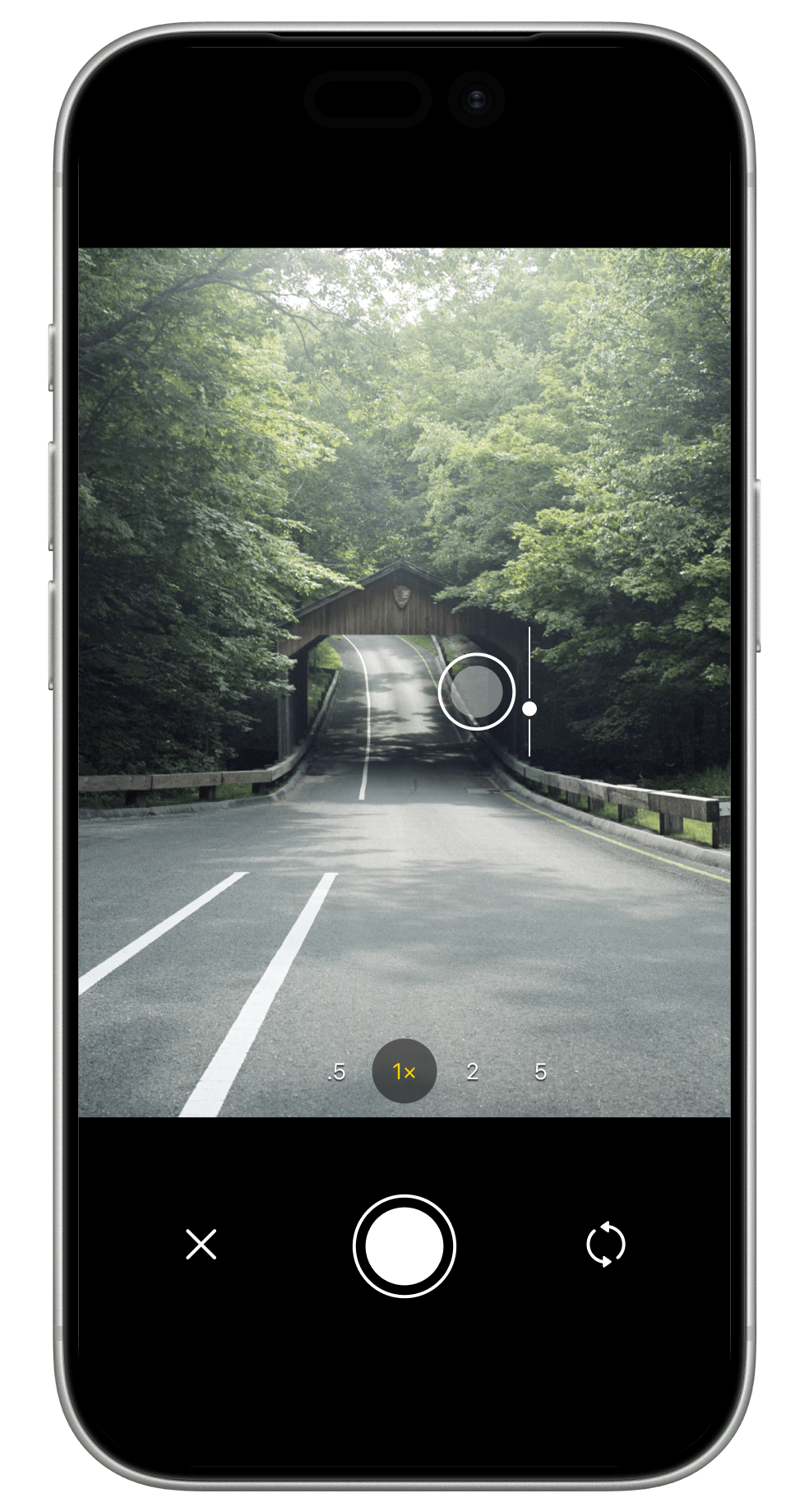
The background of the main view is a blurred, full-screen feed from the camera, and when you click on the “Take Reading” button, the interface drops away revealing the capture controls.
Lghtmtr’s camera will auto expose for a given scene, but, you can tap anywhere on the screen to expose for a particular area of shadows or highlights for example.
Once tapped, a little slider will appear letting you adjust the exposure manually. You can shake the phone to clear the manual adjustments and return to the cameras recommended exposure.
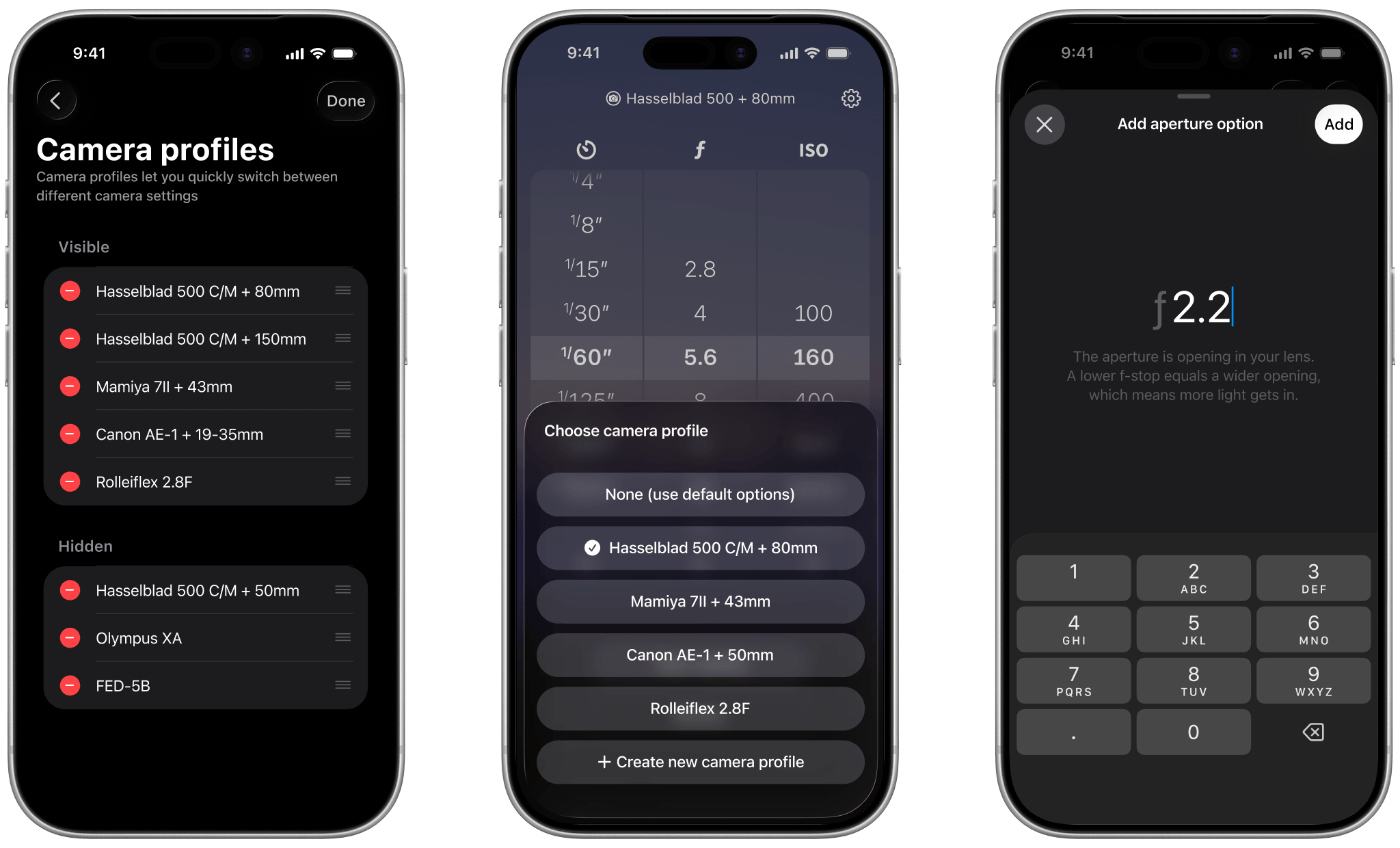
In Lghtmtr, users can also create camera profiles, which are custom sets of values that will display in the reels in the main view.
One might elect to use a camera profile so that only options relevant to their camera and lens can be selected. By default, new camera profiles have the full list of options from the default set, and they can remove unneeded options and add in new ones (for example, adding a multi-minute shutter speed).